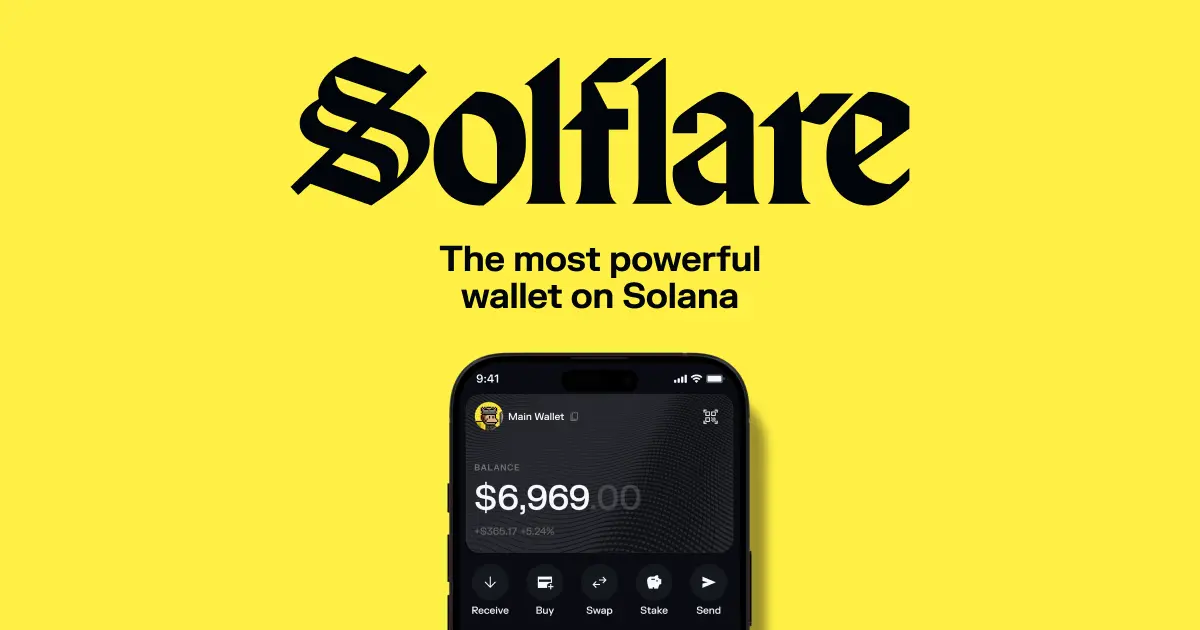
Introduction to Solflare Wallet
Cryptocurrency gives you full control of your money—but that freedom also comes with responsibility. If you plan to use Solflare Wallet safely, you must understand how it works and how to protect your funds from day one. This guide explains everything step-by-step so beginners and advanced users can use Solflare confidently.
What is Solflare Wallet?
Solflare is a non-custodial crypto wallet built specifically for the Solana ecosystem. It allows you to store SOL and SPL tokens, stake crypto, manage NFTs, and connect to decentralized apps (dApps).
Unlike centralized exchanges, Solflare gives you full ownership of your private keys. That means no bank, exchange, or company controls your funds. You do.
Why Solflare Wallet Is Popular in the Solana Ecosystem
Solflare has become one of the most trusted Solana wallets because it offers:
- Seamless staking features
- Strong security architecture
- NFT and DeFi integration
- Browser, web, and mobile support
It’s designed specifically for Solana users, which makes it fast, lightweight, and easy to use.
Who Should Use Solflare Wallet?
Solflare works well for:
| User Type | Why Solflare Fits |
| Beginners | Easy interface and guided setup |
| NFT collectors | Built-in NFT support |
| DeFi users | Smooth dApp integrations |
| Long-term holders | Secure staking and hardware wallet support |
Why Security Matters in Crypto Wallets
Crypto transactions are irreversible. If you lose access or get hacked, there’s no “forgot password” support team to recover funds. That’s why learning how to use Solflare Wallet safely is essential.
What you’ll learn in this guide:
- Safe installation and setup
- Seed phrase protection
- Secure transactions and staking
- Avoiding scams and phishing
What is Solflare Wallet and How Does It Work?
Understanding Solflare Wallet Basics
Non-custodial wallet explained
Solflare is a non-custodial wallet, meaning only you control your private keys. Your assets never sit on company servers.
How private keys and seed phrases work
Your wallet generates a seed phrase (recovery phrase). This is the master key to your funds.
Whoever has the seed phrase = owns the wallet.
Hot wallet vs cold wallet
- Hot wallet: Connected to internet (browser/mobile)
- Cold wallet: Offline hardware wallet (highest security)
Solflare supports both.
Supported Features of Solflare Wallet
- Store SOL and SPL tokens
- Manage NFTs
- Stake SOL directly in wallet
- Connect to DeFi and NFT marketplaces
Why Safety Matters When Using Solflare Wallet
Crypto scams are rising fast. The most common threats include:
- Phishing websites
- Fake wallet apps
- Social media impersonators
- Malicious tokens
Most losses happen due to human mistakes, not wallet flaws.
Common risks:
- Losing seed phrase
- Sending funds to wrong address
- Connecting wallet to fake dApps
The safest approach: set up security correctly from the start.
How to Download and Install Solflare Wallet Safely
Official Sources to Download Solflare Wallet
Always download from official sources only:
- Official Solflare website
- Chrome/Firefox browser extension stores
- Apple App Store or Google Play
Step-by-Step Installation Guide
- Visit the official website
- Choose platform:
- Web wallet
- Browser extension
- Mobile app
- Install and open the wallet
Safety Tips During Installation
- Double-check the URL before downloading
- Avoid third-party download sites
- Never install from ads or popups
How to Create a New Solflare Wallet (Step-by-Step)
Setting Up Your Wallet
- Click Create New Wallet
- Set a strong password
- Generate your seed phrase
How to Secure Your Seed Phrase
Best practices:
- Write it on paper (offline)
- Store in 2–3 safe locations
- Use a fireproof safe if possible
Common Mistakes to Avoid
Never:
- Take screenshots of seed phrase
- Store it in email or cloud
- Share it with support agents
No real support team will ever ask for it.
How to Access and Login to Solflare Wallet
Solflare Wallet Login Steps
You can log in using:
- Wallet password
- Seed phrase recovery
Troubleshooting Login Issues
Forgot password?
- Reinstall wallet
- Restore using seed phrase
Seed phrase = ultimate recovery tool.
How to Use Solflare Wallet Safely (Step-by-Step Guide)
Sending and Receiving Crypto Safely
Before sending:
- Copy address carefully
- Double-check first and last characters
- Confirm on blockchain
Always send a small test transaction first.
Connecting Solflare Wallet to dApps Safely
- Connect only to trusted websites
- Disconnect unused sessions
- Review permissions carefully
Managing Tokens and NFTs Securely
Avoid scam tokens:
- Unknown tokens may be phishing traps
- Hide suspicious assets
- Verify NFT collections before buying
How to Stake SOL Using Solflare Wallet Safely
What is Staking?
Staking lets you earn passive rewards by supporting network validators.
Step-by-Step Staking Guide
- Open staking tab
- Choose validator
- Delegate SOL
Safety Tips for Staking
- Choose reputable validators
- Avoid unknown pools
- Monitor rewards regularly
Advanced Security Tips for Solflare Wallet Users
Take your wallet security to the next level:
- Enable biometrics on mobile
- Use hardware wallet integration
- Keep apps updated
- Avoid public Wi-Fi
- Review wallet activity regularly
For maximum protection, integrate with Ledger hardware wallets.
Common Solflare Wallet Scams and How to Avoid Them
Phishing Attacks
Fake emails and websites trying to steal seed phrases.
Fake Airdrops and Tokens
Scam tokens appear in wallet to lure you to malicious sites.
Impersonation Scams
Fake support teams on Telegram, Discord, or Twitter.
Prevention Checklist
- Never share seed phrase
- Always verify URLs
- Use official channels only
Solflare Wallet Pros and Cons
Advantages
- Easy interface
- Built-in staking
- Deep Solana integration
Disadvantages
- Solana-only ecosystem
- Security responsibility is on user
Solflare Wallet vs Other Crypto Wallets
Solflare vs Phantom
Phantom
- More beginner-focused
- Simpler UI
- Slightly fewer staking options
Solflare vs Trust Wallet
Trust Wallet
- Multi-chain support
- Larger ecosystem
- Less specialized for Solana
Key takeaway: Solflare is best for dedicated Solana users.
Frequently Asked Questions (FAQs)
Is Solflare Wallet safe to use?
Yes, if you follow proper security practices.
Can I recover wallet without seed phrase?
No. The seed phrase is the only recovery method.
Is Solflare Wallet free?
Yes, installation and use are free. Network fees apply.
How do I update Solflare Wallet?
Update via browser store or app store.
Can I use Solflare on mobile and desktop?
Yes. It supports web, extension, and mobile apps.
Final Thoughts on Using Solflare Wallet Safely
Using Solflare Wallet safely comes down to one simple rule: You are your own bank.
Remember these key steps:
- Protect your seed phrase
- Verify every transaction
- Avoid phishing and scams
- Use hardware wallets for large funds
If you follow the best practices in this guide, you can confidently store, stake, and manage crypto securely.
Start using Solflare Wallet safely today and take full control of your crypto future.